
Mechanical sounds + a complete typing trainer in your menu bar. WPM test, adaptive drill, code mode, daily challenge, ghost races — all native, all local, $3.99 once.
✓ No subscription · ✓ Lifetime updates · ✓ macOS 14+ · ✓ Intel + Apple Silicon
👇 Click any key · Type in the box · or just listen — it types itself
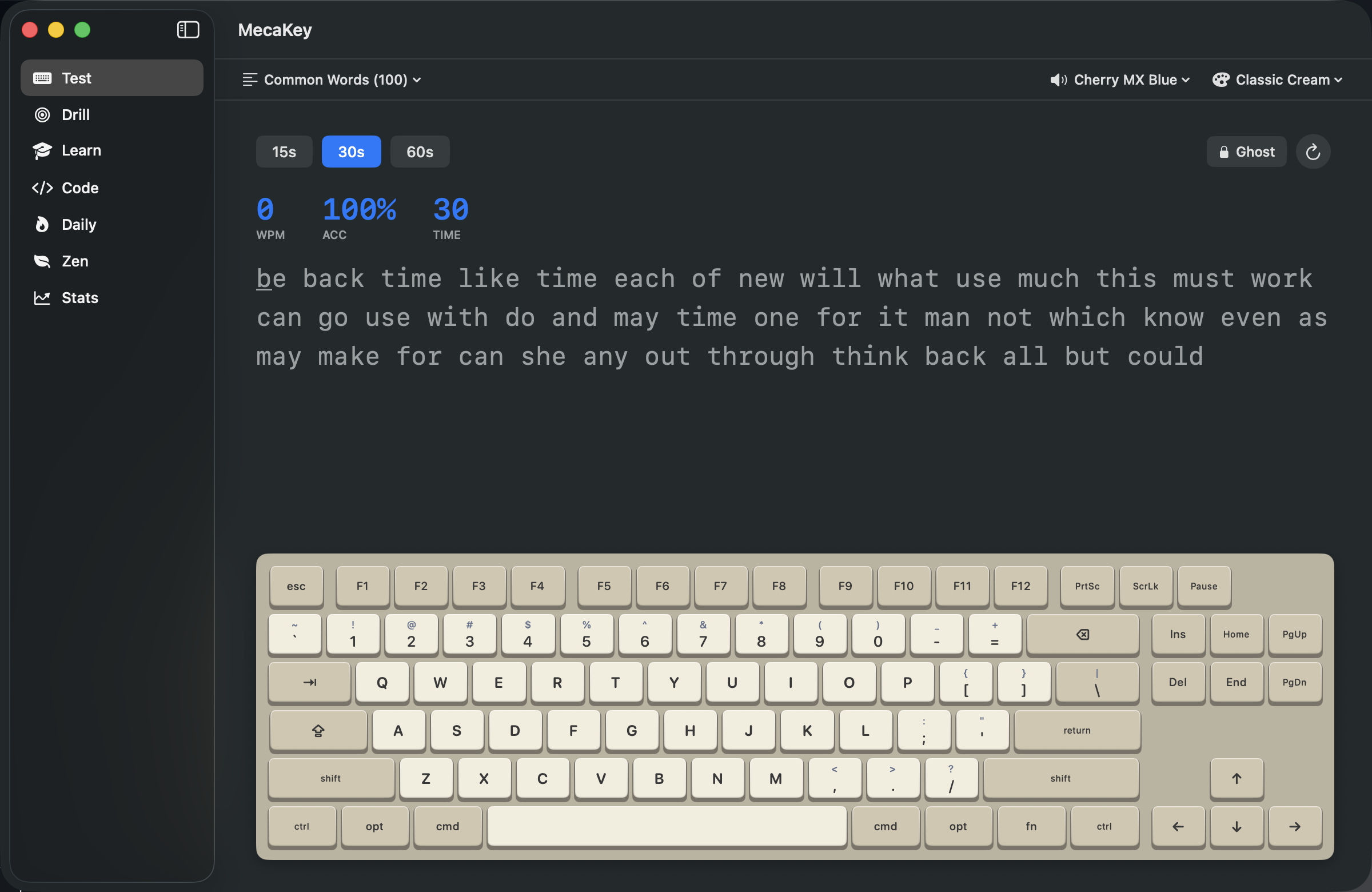
Try it now — no install
Real typing test, same engine as the app. Type the text below — sound plays as you type.
🔊 Sound plays from current profile selection above
Existing Mac keyboard-sound apps make it less boring — but they stop there. Meanwhile, every typing trainer worth using lives on the web, can't make a sound, and tracks everything you do.
MecaKey is the first app that does both. Native. Local. Once.
Three reasons to install
6 switch profiles + per-key sounds + custom audio import. AVAudioEngine for sub-20ms latency. Holy Panda has 5 random press variants — never feels robotic.
7 modes: Test, Drill, Course, Code, Daily, Zen, Stats. Adaptive drill targets your weak keys. Daily challenge keeps you coming back. Race your past self with Ghost mode.
Zero network requests after install. No accounts, no cloud sync, no telemetry. Reads keycodes — never characters or window context. Verified by you, in our open architecture.
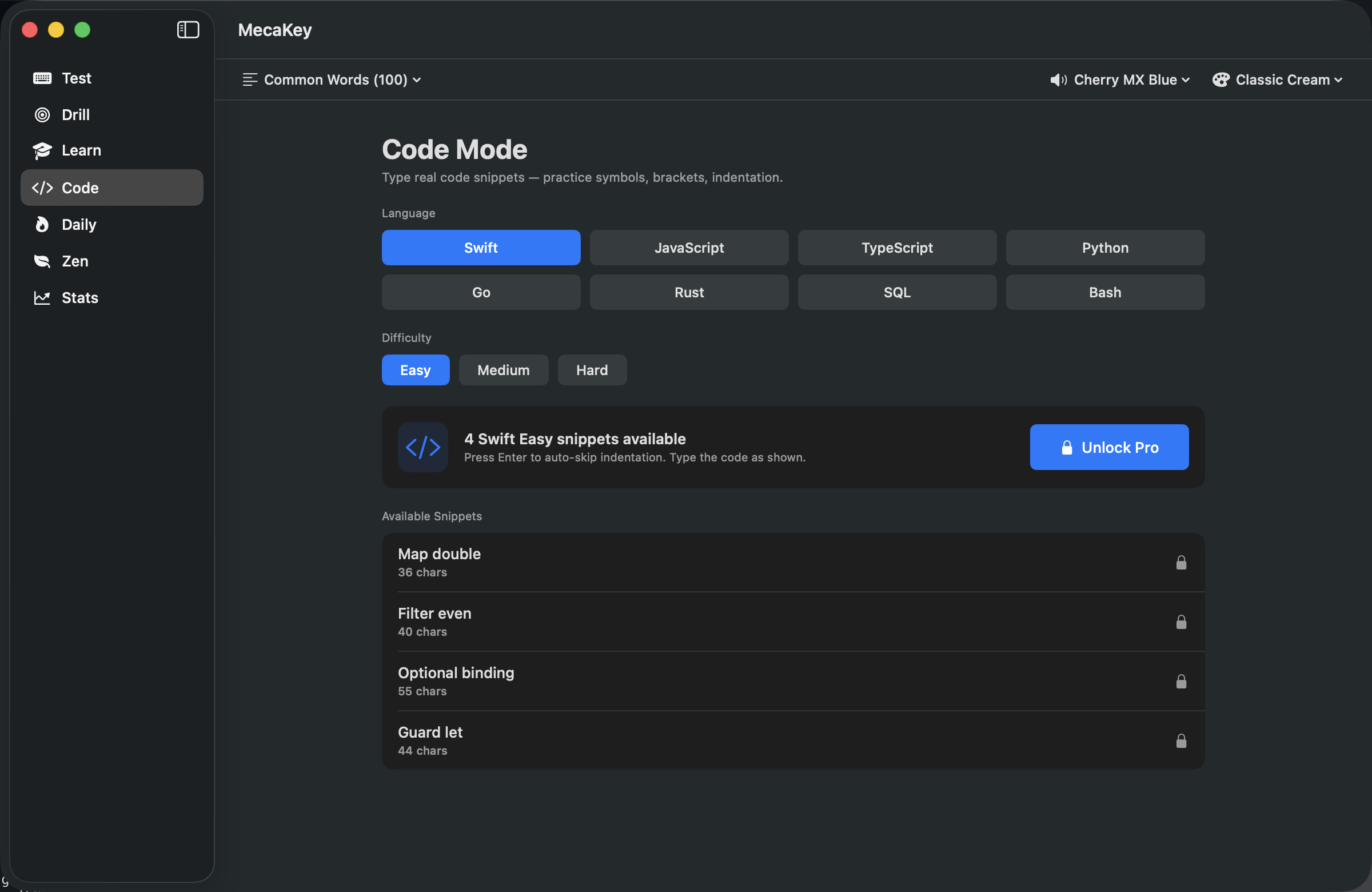
Code Mode
80 hand-curated snippets across Swift, JavaScript, TypeScript, Python, Go, Rust, SQL, and Bash. Syntax highlighting in the target text. Auto-skip indentation when you press Enter.
Programmers don't have a "WPM problem." They have a fluency problem with symbols, punctuation, and structure. Code Mode is the only typing app that trains for it.
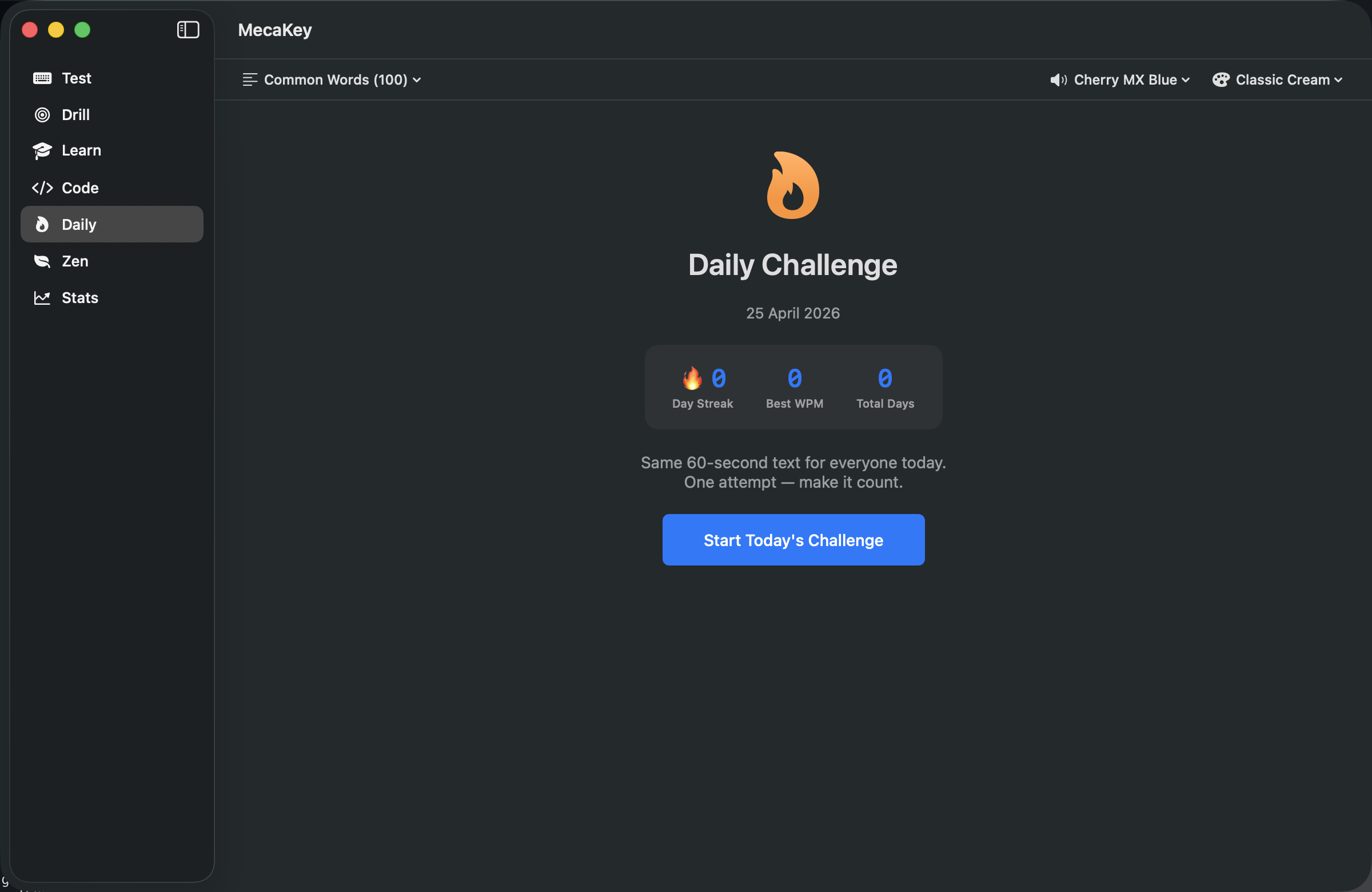
Daily Challenge
One 60-second challenge text per day, deterministic from the date — same one for every MecaKey user globally. Your streak ticks up in the menu bar with a 🔥 badge that's hard to break.
Two minutes a day. The fastest way to build a daily typing habit without it feeling like homework.
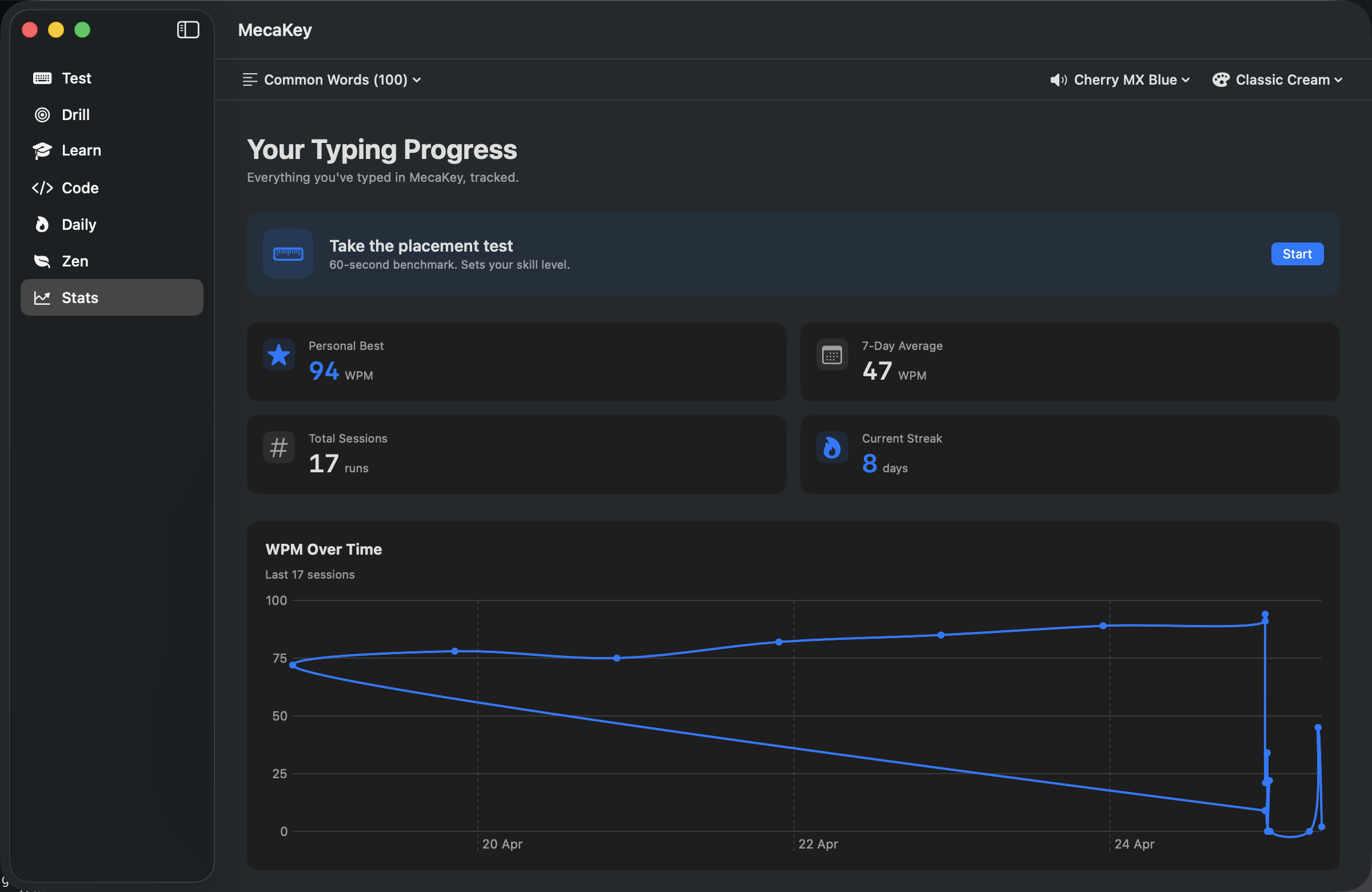
Stats Dashboard
Live WPM chart over your last 30 sessions. Per-key heatmap shows which keys are slowing you down. Personal best, 7-day average, total sessions, current streak — all in one Swift Charts dashboard.
Earn downloadable PDF certificates at 30, 50, 80, 100, and 120 WPM. Real proof for resumes and LinkedIn — without the cringe.
Course Mode
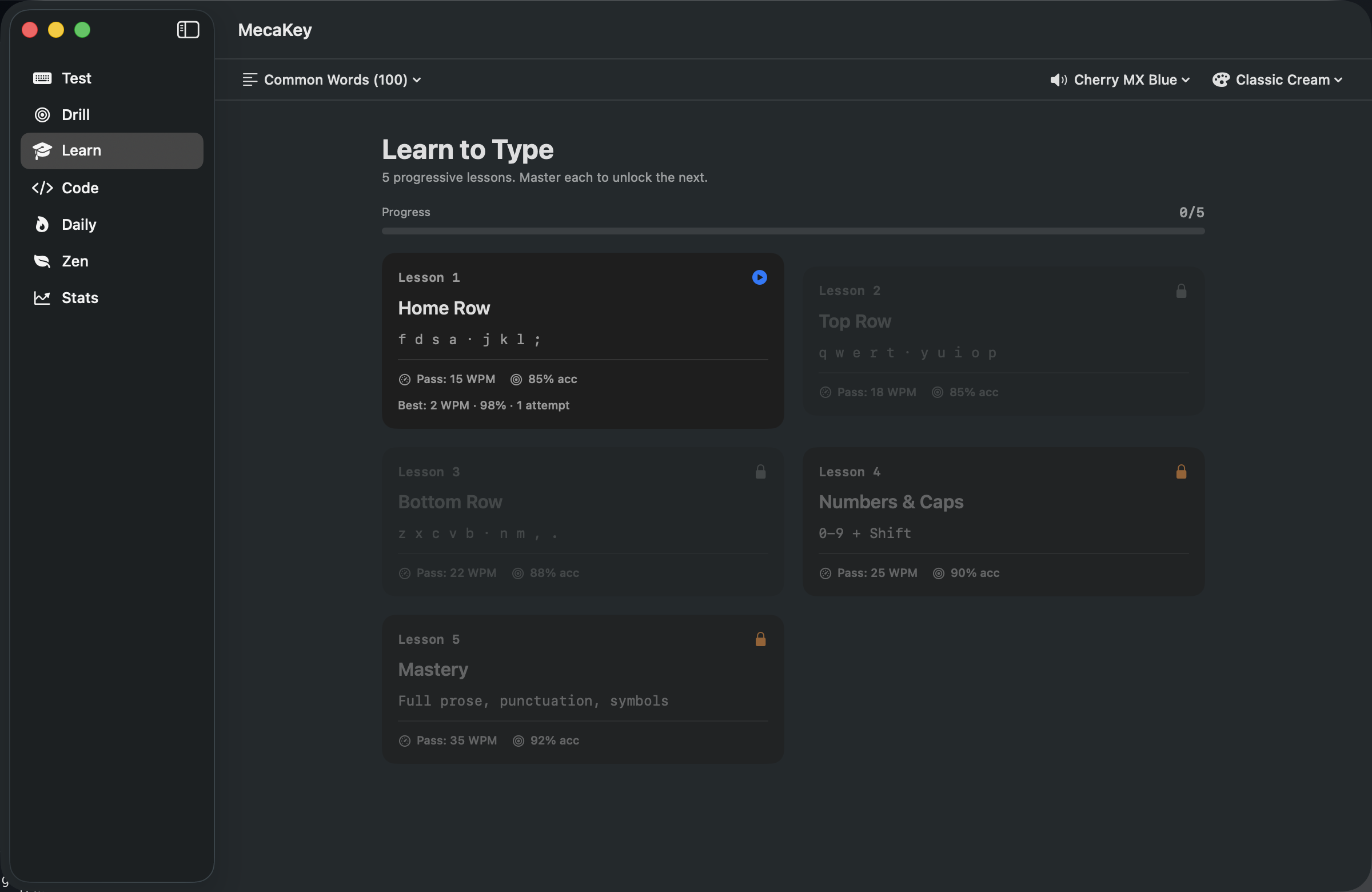
5 progressive lessons: home row → top row → bottom row → numbers + caps → mastery. Each lesson has a pass threshold (WPM + accuracy). Unlock the next when you hit it.
Built for adults who never learned to touch-type properly — and for fast typists who want to verify their fundamentals are clean.
How we compare
Sound apps don't train you. Typing trainers don't sound good. MecaKey does both.
| MecaKey | Other sound app A | Other sound app B | Other typing trainer A | Other typing trainer B | |
|---|---|---|---|---|---|
| Mechanical sounds | ✓ | ✓ | ✓ | — | — |
| Sub-20ms latency | ✓ | ✓ | — | n/a | n/a |
| Custom audio import | ✓ | — | ✓ | n/a | n/a |
| Live WPM test | ✓ | — | — | ✓ | ✓ |
| Adaptive drill | ✓ | — | — | — | — |
| Code mode | ✓ | — | — | — | ✓ |
| Daily challenge + streak | ✓ | — | — | — | — |
| Ghost mode | ✓ | — | — | — | — |
| PDF certificates | ✓ | — | — | — | — |
| Native Mac app | ✓ | ✓ | ✓ | web | web |
| Local-only (no tracking) | ✓ | ✓ | ✓ | — | — |
| Price | $3.99 once | $4.99 | Free | Free | $9.95/mo |
Pricing
Buy once, use forever. No subscription. All future updates included.
Launch-week price. Returns to $4.99 after 30 days.
Pay once. Yours forever. No subscription, no IAP.
One payment, lifetime use, no subscription. Free updates forever.
FAQ
No. MecaKey reads only keycodes (which physical key was pressed) — never the character typed or the window/app context. Zero network access, zero telemetry. The architecture makes keylogging impossible by design.
Other mechanical sound apps just play sounds — that's it. MecaKey adds 7 typing-trainer modes on top: WPM test, adaptive drill, course, code mode, daily challenge, ghost mode, zen mode. Same low-latency audio, plus a complete typing improvement suite.
Free browser-based typing trainers are excellent — for the browser. MecaKey lives in your menu bar (no Dock icon), works offline, plays mechanical sounds while you type anywhere on macOS, has Code Mode with 80 curated snippets across 8 languages, and gives you PDF certificates. If you only want a quick typing test online, browser tools are fine. If you want a complete native experience with sounds, MecaKey is what you want.
Yes, with Pro. Drop in any MP3, WAV, AIFF, M4A, or CAF file and MecaKey creates a custom profile from it. Use recordings of your actual mechanical keyboard.
Yes. MecaKey captures keypresses at the OS level — so it works with built-in laptop keyboards, external mechanical keyboards, and Bluetooth keyboards.
No. $3.99 one-time. Lifetime use. All future switch profiles, themes, and content packs included. We hate subscription creep too.
macOS 14 (Sonoma) or later. Works on Intel and Apple Silicon. Requires Accessibility permission for key detection.
Always. MecaKey makes zero network requests after install. License validation happens locally via StoreKit 2.
No. Audio buffers preload at launch (one-time decode), so playback is sub-20ms with negligible CPU. Idle memory footprint is under 50MB. Designed to live in your menu bar 24/7.
$4.99 $3.99 — launch week only.
One payment. Lifetime updates. No subscription.
Buy on Mac App Store